Workflow Automation Software vs AI Automation Agency
Workflow automation software is useful when the process is clear and your team can configure it. An AI automation agency is useful when the process needs strategy, data review, integrations, AI agents, custom workflows, and rollout support.
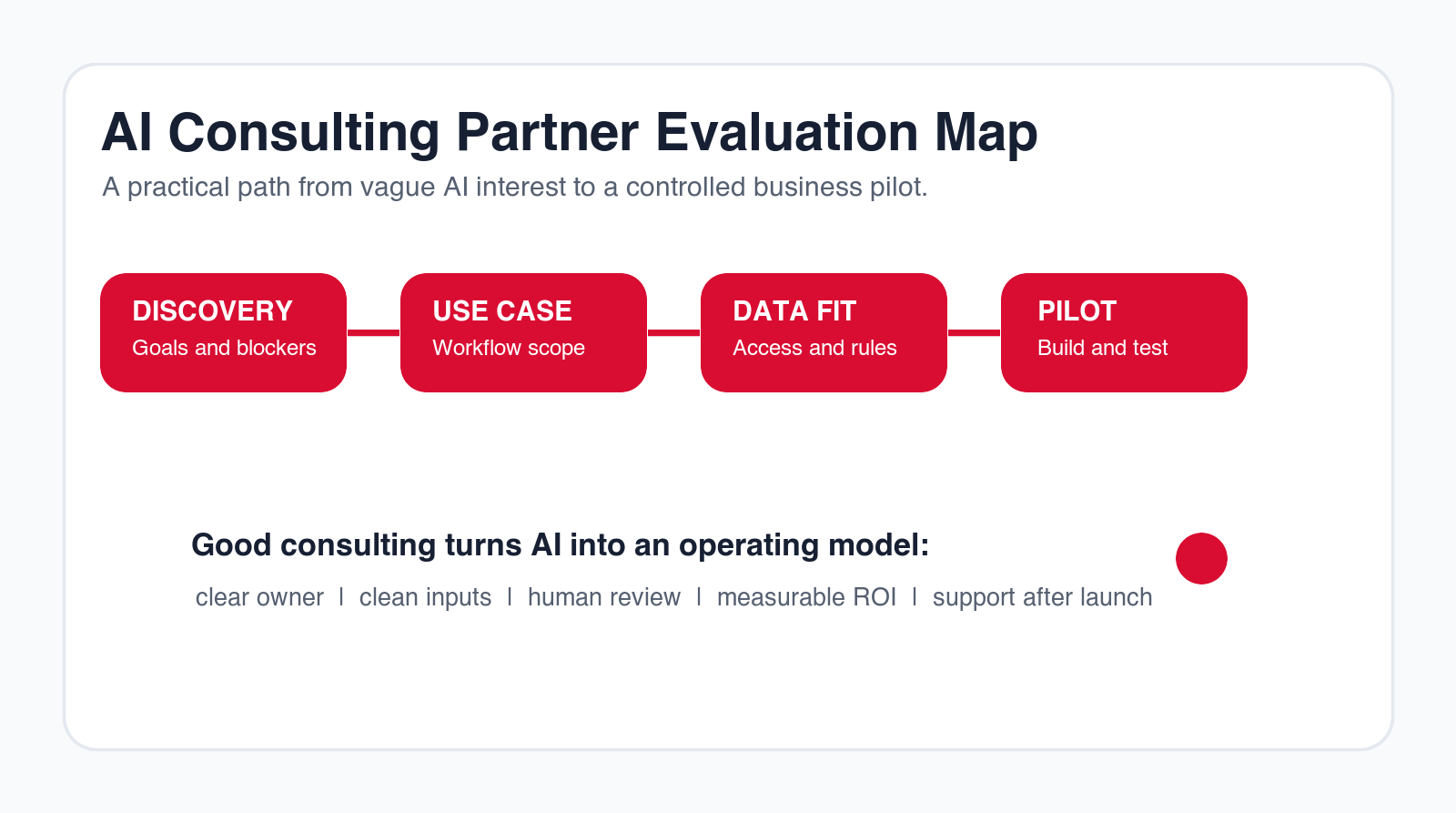
Best answer
Use software for clear repeatable workflows. Use an agency when the workflow, data, and rollout need design.
Focus
Workflow automation software
Decision point
Implementation planning
Best for
Teams comparing software and agency support
Next step
Fit assessment
TL;DR
Choose workflow automation software when your process is already clear, the integrations are standard, the team can configure the tool, and the risk is manageable. Choose an AI automation agency when you need help selecting use cases, mapping workflows, connecting systems, building AI agents, handling data readiness, designing human review, or supporting adoption after launch. Many businesses need both: software as the platform and an agency as the implementation partner.
Workflow automation software can save time quickly. It can connect tools, trigger actions, move data, send alerts, create tasks, and standardize handoffs. The problem is that software does not decide which workflow matters, how the process should change, what the AI should be allowed to do, or how people will adopt the new system.
An AI automation agency fills that gap when the project needs more than a tool subscription. A good agency maps the process, identifies the first pilot, checks data readiness, chooses tools, designs human review, builds integrations, tests edge cases, trains users, and supports the workflow after launch. The choice is not "software or agency" in every case. The real question is how much design and delivery help your process needs.
Quick Comparison: Software vs Agency
| Decision area | Workflow automation software | AI automation agency |
|---|---|---|
| Best for | Clear workflows with standard triggers and actions. | Unclear, custom, multi-system, or AI-heavy workflows. |
| Speed | Fast when the team knows what to build. | Faster when discovery, design, and setup would slow the team down. |
| Cost | Lower entry cost, ongoing subscription. | Higher initial cost, often stronger process fit. |
| Risk | Depends on internal process and permissions. | Can include governance, review paths, testing, and support. |
Buying Context: Why This Comparison Matters
Buyers comparing workflow automation software are usually not looking for a definition only. They are comparing products, budgets, setup paths, and implementation options. That makes the decision more serious than choosing a simple productivity app. Workflow automation sits inside daily operations, so a bad decision can create duplicate work, broken handoffs, and tools that nobody wants to maintain.
That buying journey often overlaps with agency evaluation. A team comparing workflow tools may still need an AI automation agency if the real issue is not tool access but process design. The business may know that support is slow, leads are mishandled, approvals are delayed, or reporting is manual. That does not automatically mean a software subscription is the right first move.
A good buyer guide should therefore answer two questions at once. First, what can workflow automation software do well? Second, when does a business need an implementation partner to turn that software into a working AI automation system? If you answer only the first question, you may buy a tool too early. If you answer only the second, you may overpay for consulting when a simple workflow builder would be enough.
What Workflow Automation Software Does Well
Workflow automation software is strongest when the process is already understood. If a task starts in one system, needs a predictable next step, and ends in another system, software can often handle the work cleanly. Examples include creating a CRM lead from a form, assigning a support ticket by category, sending a Slack notification when a deal changes stage, creating a task after a meeting, or moving an approved invoice into a payment queue.
Software also creates visibility. Instead of work living in individual inboxes, the process can move through a shared workflow. Managers can see which tasks are waiting, which steps failed, and which approvals are overdue. This is valuable even before AI is added because many businesses lose time simply because nobody can see the state of the work.
The best software platforms also reduce repetitive context switching. Employees no longer need to copy the same data into three tools, chase the same person for approval, or check the same dashboard every morning. Automation can move the routine step forward and let people focus on exceptions, judgment, and customer communication.
Software is especially useful when the process is low-risk and easy to reverse. If the automation creates a draft, sends an internal notification, updates a non-sensitive field, or opens a task for review, the downside is manageable. That makes workflow software a good first step for teams that want to prove automation value without redesigning the whole operating model.
Where Workflow Automation Software Usually Breaks Down
Workflow automation software breaks down when the workflow is unclear. If nobody can explain the trigger, input, decision rule, owner, output, or exception path, the tool will not fix the process. It may even make the problem more visible because the software will force unclear decisions into a rigid structure.
Software also struggles when data is inconsistent. A workflow may look simple in a diagram, but real records can have missing fields, old statuses, duplicate accounts, inconsistent document names, or different teams using the same tool in different ways. AI can help with messy inputs, but the system still needs source rules, confidence thresholds, and a review path.
Another common failure is alert overload. A team buys automation software, creates many notifications, and then everyone starts ignoring them. Good workflow design is not only about triggering actions. It is about deciding which actions matter, who needs to see them, when they should be escalated, and how the system avoids creating noise.
Finally, software breaks down when the workflow crosses strategy, governance, and adoption. A tool can send a request to an approver, but it cannot decide whether the approval rule makes sense. A tool can draft a support response, but it cannot decide which customer promises require legal or manager review. A tool can move invoice data, but it cannot define the finance policy. Those decisions need business design.
What an AI Automation Agency Should Actually Do
An AI automation agency should not simply resell a tool or make the project sound more complicated than it is. The agency's job is to turn a business problem into a working workflow. That includes discovery, process mapping, use-case selection, data readiness checks, tool selection, custom integration, AI agent design, testing, training, measurement, and support.
The first useful agency deliverable is usually a workflow map. It should show the trigger, inputs, systems, AI action, human review point, output, owner, metric, and exception path. If a partner cannot produce that map, they probably do not understand the work deeply enough to build it.
The second useful deliverable is a pilot scope. A good pilot is narrow enough to ship but meaningful enough to prove value. It might automate one lead source, one support queue, one invoice review step, one reporting workflow, or one internal approval path. The pilot should not be a disconnected demo. It should touch a real workflow and produce a measurable result.
The third useful deliverable is an operating model. After launch, someone must own the workflow, review exceptions, approve changes, monitor failed runs, update knowledge sources, and decide what to automate next. Agencies that ignore support and ownership leave clients with fragile systems. Agencies that design maintainability create long-term value.
Decision Framework: Software, Agency, or Hybrid
The fastest way to decide is to score your workflow across clarity, data, integration, risk, AI complexity, and internal capacity. You do not need a perfect score. You need to understand where the risk is. If clarity and data are strong, software may be enough. If integration and AI complexity are high, agency support becomes more valuable.
| Signal | Software is enough | Use an agency | Hybrid path |
|---|---|---|---|
| Workflow clarity | Steps are documented and accepted. | Teams disagree on the process. | Agency maps the first version, then software runs it. |
| Data readiness | Fields and sources are reliable. | Records are inconsistent or scattered. | Agency cleans the pilot inputs, software handles the flow. |
| AI complexity | AI drafts or summarizes low-risk work. | AI agents use tools or affect decisions. | Agency designs guardrails, software hosts the workflow. |
| Internal capacity | Operations team can configure and support it. | No one owns setup or maintenance. | Agency launches, internal team gradually takes over. |
Choose Workflow Automation Software When the Process Is Already Clear
Software is the right choice when your team can describe the workflow in a few sentences. The trigger is known, the input is structured, the next action is obvious, and the system connections are standard. For example, when a form is submitted, create a CRM lead, send a notification, assign an owner, and create a follow-up task.
In this situation, buying software may be better than hiring a partner first. The team can configure the workflow, test it, and adjust it without a larger consulting engagement. The risk is manageable because the process is narrow and the output is easy to inspect.
Software is also a good choice when your team already has a strong operations owner. That person understands the process, can test edge cases, can work with system permissions, and can train users. In that environment, the software becomes a practical extension of existing operational discipline. The tool does not need to create the process from scratch.
Another good signal is that your first automation does not need custom AI behavior. If the workflow mostly needs to move data, create tasks, route approvals, or send notifications, a strong workflow automation platform may solve the problem. AI can be added later when the team has confidence in the process.
Choose an AI Automation Agency When the Process Needs Design
An agency is usually the better choice when the business problem is clear but the workflow is not. You may know that support is slow, leads are mishandled, reporting is manual, or invoices take too long, but you may not know which workflow to automate first or how the system should work.
This is where agency work matters. The partner should identify the highest-value use case, map the current process, define the future process, review data access, choose the right software or custom build, and design a pilot. That work reduces the risk of buying a tool that sits unused.
An agency also helps when the project has political or adoption risk. Automation often changes how work moves between teams. Sales may need to trust lead routing. Support may need to trust suggested replies. Finance may need to trust invoice checks. Managers may need to trust dashboard summaries. A partner can help design review points and rollout steps that make adoption easier.
Agency help is most valuable when it creates a system your team can eventually understand and own. Be careful with partners who hide the implementation behind vague technical language. The final workflow should be explainable. Your team should know what happens, why it happens, who reviews it, and how changes are handled after launch.
Use an Agency When AI Agents Need Guardrails
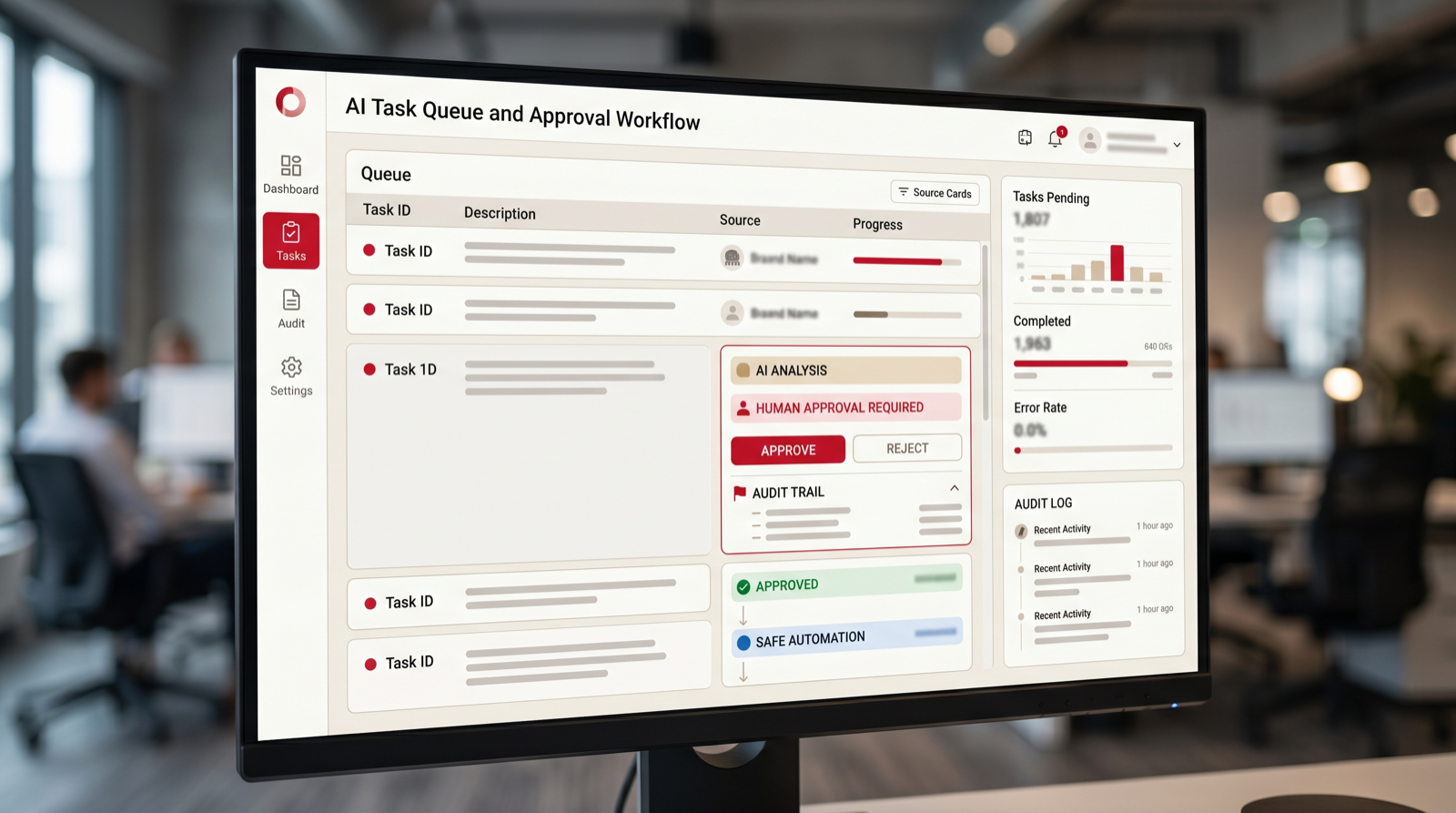
Workflow automation software can move data and trigger actions, but AI agents add a different level of complexity. An agent may read context, choose steps, use tools, draft responses, summarize research, or prepare approvals. That requires permissions, logs, boundaries, and human review.
If the agent touches customer data, financial records, sales opportunities, support responses, or internal decisions, do not treat it like a simple automation rule. An agency can help define what the agent can do, what it can only suggest, and what must be approved by a person.
A useful AI agent should have a narrow job. It might prepare a support reply, summarize a contract, research a prospect, check a purchase request, or gather context for an approval. It should not be given broad authority simply because the tool can connect to many systems. The more tools an agent can use, the more important permissions and logs become.
Ask any vendor or agency how the agent handles uncertainty. Does it ask for clarification? Does it stop when required data is missing? Does it show sources? Does it create a draft instead of taking final action? Does it route exceptions to a person? These details determine whether an agent is useful in operations or only impressive in a demo.
Compare Integration Complexity Before You Buy
Simple software automations work well when the systems already have clean connectors. But many business workflows involve edge cases: old CRMs, spreadsheets, shared inboxes, document folders, accounting systems, manual approvals, or records that need cleanup. These situations may require custom integration logic or a staged rollout.
Ask whether the tool can connect to your actual systems, not only popular examples. Ask how errors are handled, what happens when data is missing, and where logs are stored. If those answers are unclear, an agency can help design the workflow before software choices lock you in.
Integration depth matters more than integration logos. A platform may advertise a CRM connector, but that connector may not support the custom fields, account ownership rules, activity history, or approval logic your workflow needs. A help desk connector may read tickets but not update the exact fields your support managers use. A document connector may access files but not respect the permissions required for sensitive folders.
A serious evaluation uses sample records. Take one real lead, one real ticket, one real invoice, or one real approval request and walk it through the proposed system. This reveals whether the integration works at the field level, not only at the marketing level. It also shows which parts of the workflow need cleanup before automation.
Compare Total Cost, Not Just Subscription Price
Workflow automation software can look cheaper because the subscription price is visible. But the real cost includes setup time, process design, testing, training, maintenance, failed experiments, and the opportunity cost of delayed adoption. If your internal team has the time and skill, software can be efficient. If not, the hidden cost can become larger than the agency fee.
An agency costs more upfront, but it may reduce wasted tool spend and shorten the path to a useful pilot. The right comparison is not subscription versus service fee. It is the cost of getting a working, trusted workflow into production.
Cost should be tied to a workflow baseline. How many times does the process run each month? How long does each run take? How often does rework happen? How much delay is created by waiting for the next person? How much revenue, cash flow, or customer experience is affected by slow handling? These numbers make the decision more grounded.
A low-cost tool is not cheap if it takes months to configure and nobody uses it. A higher-cost agency is not expensive if it gets a high-volume process working quickly and leaves the team with a maintainable system. The best ROI calculation includes software, implementation, support, internal time, and the value of faster operations.
Do Not Separate Automation From Security and Governance
Workflow automation often touches sensitive business information. A process may include customer records, financial details, employee information, contract terms, pricing, support history, sales notes, or internal decisions. That means security and governance should be discussed before the workflow is built, not after it is already connected.
Software buyers should ask where data is stored, which users can access it, how authentication works, what logs are available, how errors are reviewed, and which third-party AI providers are involved. Agency buyers should ask how the partner handles permissions, deployment access, documentation, and post-launch handover.
Governance does not need to slow the project down. For a first pilot, it can be simple: define what the automation may do, what it may suggest, what it must not do, who approves exceptions, and where activity is logged. Those rules make the system safer and easier to expand later.
Implementation Timeline: What a Practical First Pilot Looks Like
A practical first pilot should move in phases. The first phase is discovery: choose the workflow, gather examples, name the owner, and define the metric. The second phase is design: map the trigger, inputs, systems, AI action, human review point, output, and exception path. The third phase is build: configure software, connect systems, create prompts or rules, and set up logs.
The fourth phase is testing. Use real examples, including edge cases. Check whether the workflow handles missing data, duplicate records, unusual customer requests, and approval exceptions. The fifth phase is rollout. Train the users, explain what the system does, and measure whether the workflow is actually faster or more reliable.
Software-only projects can move quickly when the workflow is simple. Agency-led projects may take more time upfront because they include mapping and design, but that can prevent expensive rework. The right timeline is the one that gets a useful workflow into production without pretending uncertainty does not exist.
The Best Answer Is Often a Hybrid Model
Many businesses should use both. The software becomes the platform for triggers, records, tasks, and integrations. The agency helps choose the workflow, configure the system, add AI where useful, connect tools, test outputs, and train users. This creates a practical balance between speed and customization.
A hybrid model also makes future work easier. Once the first pilot is launched, the same platform and design rules can support additional workflows. The agency can help build the operating model, while internal teams gradually learn how to manage smaller automations themselves.
The practical goal is ownership: the business should know which workflows belong in software, which need expert implementation, and which should wait.
The hybrid model works especially well when the company wants momentum without losing control. The agency can handle the first complex workflow, document the pattern, and define governance. The internal team can then use the same software for smaller automations. This avoids dependence on the agency for every change while still getting expert help where the risk is highest.
A good hybrid setup also creates a backlog. After the first pilot, the business should have a list of next workflows ranked by value, difficulty, data readiness, and risk. Some items can be built internally. Some may need custom AI solutions. Some should wait until data improves. That backlog turns automation into an operating capability instead of a one-off project.

Decision Checklist
- Choose software if the workflow is already documented and the integrations are standard.
- Choose software if your team can configure, test, and maintain the automation internally.
- Choose an agency if you need help choosing the use case or redesigning the workflow.
- Choose an agency if AI agents, custom data, human review, or sensitive decisions are involved.
- Choose a hybrid model if you need both a platform and implementation support.
Before making the final decision, ask one more question: what happens thirty days after launch? If nobody knows who monitors the workflow, who fixes errors, who updates rules, or who measures value, the project is not ready. Software and agencies both need an operating owner on the client side. Without ownership, automation becomes another unsupported system.
Questions to Ask Software Vendors and Agencies
Ask software vendors to show your workflow using your examples. Ask which fields are available, which actions are supported, how errors are logged, how AI output is reviewed, and what reporting is included. Ask what happens if the workflow volume grows or if you need custom logic later.
Ask agencies how they choose the first use case, how they document workflows, how they test edge cases, how they design human review, and how they hand over the system after launch. Ask what they would recommend not automating yet. A credible partner can tell you when software alone is enough and when a custom build is not justified.
The strongest answer is usually specific. A vendor should be able to say, "This is how our platform handles that trigger, field, approval, and error." An agency should be able to say, "This is the workflow we would pilot first, this is the metric, and this is why." Specificity is a better signal than a broad promise to automate everything.
A Realistic Procurement Path
The buying process should start smaller than most teams expect. First, choose one workflow that matters. Second, document the current process and pain. Third, decide whether the main uncertainty is software fit, process design, data readiness, or AI behavior. This tells you whether to start with vendor demos, agency discovery, or internal cleanup.
If software fit is the main uncertainty, run two or three vendor demos using the same workflow brief. Do not let every vendor show a different ideal path. Ask each one to handle the same trigger, input, integration, approval, exception, and report. This makes comparison fair and exposes hidden limitations quickly.
If process design is the main uncertainty, start with an agency or consulting sprint before buying software. The sprint should produce a workflow map, pilot scope, data checklist, and implementation recommendation. It should not become an endless strategy project. The point is to make a better buying decision and move toward a first pilot.
If data readiness is the main uncertainty, pause the buying process long enough to inspect sample records. Look at the fields, naming conventions, duplicates, missing values, and system ownership. Many automation projects fail because the team buys a platform before discovering that the data needed for routing, approvals, or AI output is not reliable.
If AI behavior is the main uncertainty, do not evaluate only the platform interface. Evaluate the whole review pattern. Ask how prompts are managed, how source information is attached, how outputs are approved, how corrections are captured, and how the system prevents the same error from repeating. A demo that looks impressive with clean examples may still be weak when the business needs consistency under messy real conditions.
The strongest procurement path creates a small proof point before a large commitment. That proof point can be a vendor sandbox, an agency-built prototype, or a hybrid pilot. The important thing is that it uses the real workflow, real examples, and real review criteria. Buying decisions become much easier when the team has seen the automation handle the actual work instead of a generic presentation.
Internal Capacity: The Factor That Decides More Than Features
The right choice depends heavily on internal capacity. A team with a strong operations owner, a technical admin, clean data, and time to test can often get value from workflow automation software quickly. The same software can disappoint a team that has no clear owner, no documentation, and no time to configure or maintain the workflow.
Before choosing software or an agency, list the people who will be involved after launch. Someone must own workflow changes. Someone must review failed runs. Someone must answer user questions. Someone must decide when the automation should be expanded, paused, or retired. If those roles are not realistic internally, agency support is not a luxury. It is part of making the system usable.
Capacity also affects speed. Software may look faster because the tool already exists, but internal setup can take longer than expected if the process is unclear. An agency may look slower because it starts with discovery, but that discovery can prevent weeks of rework. The practical question is not which path sounds faster. The practical question is which path gets a working, trusted workflow into daily use.
This is why buyers should be honest about who will do the work. If the team wants a mostly self-service platform, it needs internal people who can think like process designers. If the team wants an agency-led build, it still needs internal owners who can make decisions and test outputs. Neither path removes responsibility. The difference is where the design and implementation effort sits.
Maintenance: The Part Buyers Forget
Automation maintenance is not optional. Workflows change when teams change forms, CRM fields, approval rules, support categories, pricing policies, knowledge sources, or business priorities. A workflow that is useful today can become wrong six months later if nobody owns updates.
Software-only teams need an internal owner who can monitor runs, update rules, review failures, and communicate changes. Agency-led teams need a handover or support agreement that explains who handles future changes. Hybrid teams need a clear split between internal changes and partner-supported changes.
A good maintenance model includes documentation, logs, change requests, escalation paths, and periodic review. It should also include a way to retire automations that are no longer useful. Keeping dead automations alive creates confusion and makes teams less confident in the systems that still matter.
Maintenance should also include performance review. Track whether the workflow is still saving time, whether users still trust the outputs, whether exception volume is rising, and whether the business process has changed. A workflow can keep running technically while losing operational value. The review cadence should catch that before users create manual workarounds.
For AI-heavy automations, maintenance needs an output review loop. Teams should sample AI summaries, classifications, recommendations, or drafts and compare them against business expectations. If the quality drops, the fix may be better instructions, cleaner knowledge sources, improved categories, tighter guardrails, or a narrower AI role. This is one of the clearest places where agency support can help, because the issue is rarely only a software setting.
The final maintenance question is ownership transfer. If an agency builds the automation, what does the client receive at handover? The answer should include workflow documentation, diagrams, prompt or rule notes, integration details, test examples, error-handling steps, and a support model. If the agency keeps everything hidden, the client becomes dependent. If the handover is clear, the client can keep improving the system with confidence.
Free fit check
Find out whether you need software, an agency, or both.
Put your work email below and we will send a quick first-pass recommendation for your automation path.
FAQ: Workflow Automation Software vs AI Automation Agency
Is workflow automation software enough?
Workflow automation software is enough when the process is clear, the integrations are standard, the risk is low, and your team can configure and maintain the workflow internally.
When should I hire an AI automation agency?
Hire an AI automation agency when you need help choosing the use case, mapping workflows, connecting systems, building AI agents, designing human review, testing outputs, training users, or supporting rollout.
Can I use both software and an agency?
Yes. Many businesses use workflow automation software as the platform and an AI automation agency to design, configure, integrate, test, and support the first workflows.
Which option is cheaper?
Software usually has a lower entry cost, but the total cost includes setup, process design, training, testing, maintenance, and failed experiments. An agency costs more upfront but can reduce wasted time and tool spend.
Can Go Expandia help compare both paths?
Yes. Go Expandia can review your workflow, recommend whether software, custom automation, or agency-led implementation is the right path, and help build the first controlled pilot.
Ready to Choose the Right Automation Path?
Go Expandia helps companies choose the right workflow, software, AI agent, or custom automation approach before wasting budget.