Business Process Automation in Chicago: Where AI Can Remove Back-Office Work
If your Chicago team is comparing AI automation partners, start with the workflow, not the technology. This guide shows what to automate first, where a local pilot can create visible value, and how to choose a partner who can build with human review, clean handoffs, and measurable operating results.

Main question
What should we automate first?
Market
Chicago, United States
Best first pilot
order status
Goal
Measured workflow lift
Quick Take
For Chicago, the strongest first AI automation project is order status, customer support triage, document routing, CRM updates, and weekly operations reporting. It is specific enough to scope, frequent enough to matter, and controlled enough for a pilot with human review. The right partner should help you choose that first workflow before talking about models, agents, or complex architecture.
The Real Buying Question in Chicago
Most teams do not need another general AI explanation. They need to know where AI can remove repeated work without creating new operational risk. A useful Chicago AI automation conversation starts with the handoff that slows the business down: an enquiry that waits in an inbox, a document that needs manual extraction, a CRM record that is never complete, or a customer request that moves between teams without context.
That is why the first question should be practical: "Which workflow can we improve in the next 30 to 60 days, using real examples from our business, with a named owner and a clear approval rule?" If the partner cannot answer that question in plain business language, the project is likely to become a generic demo.
For Chicago, the most relevant teams are often distribution, manufacturing support, professional services, customer operations, back office teams. They tend to have enough volume for automation to matter, but enough client, customer, finance, or compliance sensitivity that the first build still needs human review and careful rollout.
What Current Market Data Says
- U.S. Census Bureau Business Trends and Outlook Survey: The U.S. Census Bureau reviewed BTOS data collected from December 14, 2025 to May 3, 2026 and reported that overall AI usage by U.S. businesses hovered between 17% and 20%, while 20% to 23% expected to use AI in the next six months.
Why Chicago Needs a Local AI Automation Angle
Chicago operations teams often need practical automation that improves throughput without disrupting service quality or back-office controls.
The adoption data above does not mean every company in Chicago should buy the same AI tool. It means enough competitors, suppliers, and clients are experimenting with AI that leadership needs a grounded answer: which operating workflow should we improve first, and what delivery model gives us a useful result without losing control?
The answer depends on sector and operating maturity. In Chicago, a practical first pilot usually lives close to customer communication, operational documents, CRM data, reporting, or cross-team coordination. Those are the places where repeated work is visible, the baseline can be measured, and quality can still be reviewed by a person before the workflow expands.
The rollout should also fit the way the team already works. If the current process runs through email, CRM, spreadsheets, shared drives, and weekly manager reviews, the pilot should improve those handoffs first. A useful automation feels like a cleaner operating rhythm, not a separate AI portal people have to remember to open every day.
What to Automate First in Chicago
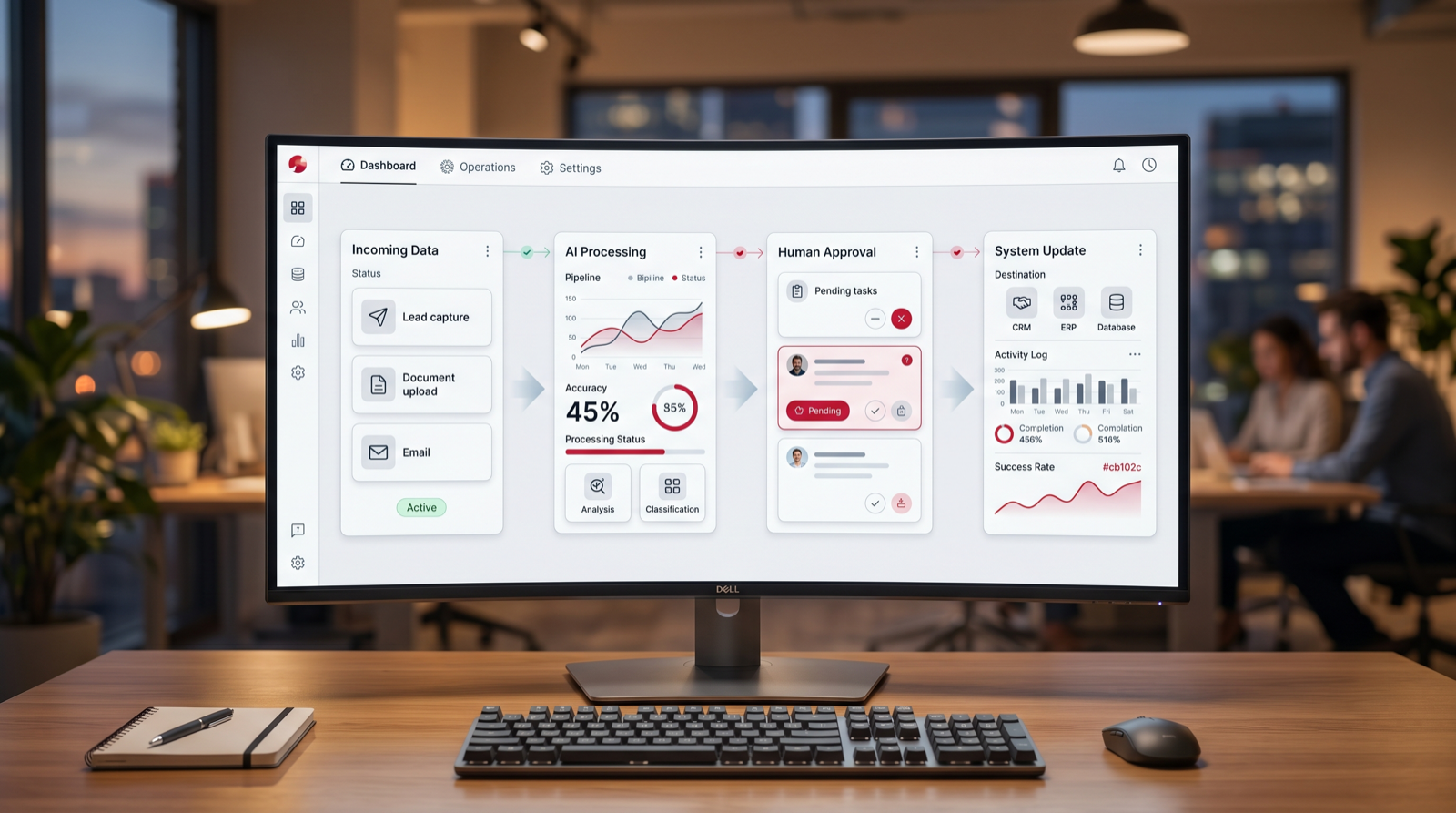
The strongest first workflow for Chicago is order status, customer support triage, document routing, CRM updates, and weekly operations reporting. It has the right mix of volume, business relevance, and manageable risk. The workflow is frequent enough to matter, but it can still be controlled with human review, source links, and limited permissions.
A good first project happens often, has a clear input and output, uses examples from previous work, has a named owner, and creates a measurable result such as faster response time, fewer missed follow-ups, cleaner CRM records, shorter document handling time, or more complete weekly reporting. Avoid broad ideas like "automate our whole company" until one real workflow is working.
Practical example
Example: a Chicago distribution and customer-operations team
A Chicago operations team handles order status questions, customer requests, approvals, and back-office updates across ERP, CRM, email, and spreadsheets. The opportunity is to remove handoffs without disrupting controls.
Before automation
- Customer-status questions require manual checks in several systems.
- Approvals wait because context is scattered across email and spreadsheets.
- Support and account teams duplicate updates in CRM.
- Managers piece together weekly throughput numbers manually.
After a controlled pilot
- AI prepares customer-ready status drafts from approved system data.
- Approval requests include context, source links, and missing information.
- CRM notes are summarized and updated after key interactions.
- Weekly reporting shows throughput, delays, exceptions, and open actions.
What Go Expandia would deliver first
- Order-status workflow map
- Approval context template
- CRM update rules
- Support triage and escalation rules
- Weekly KPI brief
Start here
Customer support triage
Classify inbound requests, detect priority, draft answers, and route exceptions.
Build first: Classify requests by intent and urgency, prepare a draft response, and route sensitive cases to the right owner.
High volume
Order and shipment status
Pull relevant details from approved systems and prepare customer-ready updates.
Build first: Build the smallest version that removes one repeated step from order status, customer support triage, document routing, CRM updates, and weekly operations reporting and proves the result with real examples.
Good pilot
Back-office approvals
Route requests, summarize context, and keep approval history visible.
Build first: Extract fields, compare them with simple approval rules, and send exceptions to a named finance or operations owner.
Control point
CRM and account updates
Capture notes, summarize customer history, and flag renewal or escalation risks.
Build first: Use call notes and CRM context to draft follow-up, update fields, and flag stale opportunities before the week closes.
Scale later
KPI reporting
Summarize throughput, exceptions, delays, and open actions for weekly review.
Build first: Pull updates from named systems into one weekly operating brief with sources, open risks, and decisions needed.
AI Automation Agency vs Tool for Chicago Companies
A tool can be enough when the workflow is documented, low risk, and mostly contained in one system. An agency is a better fit when the workflow crosses teams, systems, approvals, sensitive data, or customer-facing communication.
For Chicago, the agency route is most useful when the business needs discovery, workflow design, integrations, AI agent behavior, permission controls, documentation, training, and support in one delivery path. A good partner should also be willing to say when a workflow is not ready for automation yet.
| Decision | Use a tool when | Use an agency when |
|---|---|---|
| Workflow clarity | The process is documented and stable. | The process needs mapping, redesign, or cross-team agreement. |
| Data and systems | One system contains most of the needed data. | Data lives across CRM, email, documents, support, finance, and spreadsheets. |
| Risk | Wrong outputs are low impact and easy to fix. | Outputs touch customers, compliance, pricing, finance, or reputation. |
| Rollout | The team can configure, test, document, and maintain the system internally. | The team needs implementation support, training, monitoring, and iteration. |
A 90-Day AI Automation Plan for Chicago
- Days 1 to 30: collect real workflow examples, name the owner, identify source systems, map edge cases, and rank use cases by value, risk, data readiness, and effort.
- Days 31 to 60: build the smallest useful pilot with controlled inputs, source retrieval or system connections, review states, and baseline measurement.
- Days 61 to 90: train users, collect corrections, document exceptions, compare results with the baseline, and decide whether to expand or tighten the workflow.
How to Measure Impact Without Inflating Claims
The most credible AI automation measurement is operational. Start with a baseline: request volume, task time, queue size, missing information, late follow-ups, rework, and current response time. After launch, compare the same metrics instead of relying on vague productivity claims.
Useful pilot measures include minutes saved per completed item, response time, first-draft quality, approval rate, exception rate, CRM completeness, document turnaround time, and user adoption. If the pilot saves time but creates more corrections, the workflow needs better context or narrower permissions before it expands.
Buyer Checklist for Chicago Teams
Use this checklist before hiring an AI automation agency in Chicago. It keeps the buying conversation concrete and reduces the risk of paying for a generic AI demo.
- Can the agency explain your Chicago workflow in plain business language before proposing a tool?
- Does the agency ask for real examples, edge cases, approval rules, and owner names?
- Can it show how AI output will be reviewed, logged, corrected, and improved?
- Does it know when to use a workflow automation, an AI agent, a knowledge assistant, or a custom AI system?
- Does it define success as an operating metric, not only a model capability?
- Can it connect to the systems your team already uses without forcing a full rebuild?
- Does it include documentation, training, support, and a phased plan for the next decision?
How to Use This Guide With Your Team
Use this guide as a working agenda for a Chicago AI automation discussion. Bring one workflow example, one recent customer or internal request, one source document, and one metric that shows the cost of the manual process.
If the workflow has enough volume and the team can provide real examples, Go Expandia can help map the process, design the automation, build the AI workflow or agent, train users, and support the system after launch. The aim is to remove repeated work while keeping quality, data handling, and accountability under control.
Local AI automation next step
Want to find the best AI workflow for Chicago?
Go Expandia can review your current workflow, identify the strongest pilot, and show what a practical AI automation or AI agent build would look like.
Relevant Go Expandia Services
AI Automation Agency
Best when the workflow is known and the team needs implementation, integrations, testing, rollout, and support.
AI Consulting Services
Best when leaders need to choose the right use case, estimate effort, define controls, and shape the roadmap before build.
AI Agent Development
Best for controlled agents that read context, draft outputs, use approved tools, and wait for human review where needed.
Custom AI Solutions
Best when off-the-shelf tools cannot fit the data model, approval flow, dashboards, permissions, or system connections.
FAQ
What should Chicago companies automate first?
Start with order status, customer support triage, document routing, CRM updates, and weekly operations reporting. It is specific enough to scope, common enough to matter, and practical enough to test with human review.
Should we buy a tool or work with an AI automation agency?
Buy a tool when the process is already clear, low risk, and mostly contained in one system. Work with an agency when the workflow crosses teams, approvals, sensitive data, customer communication, or systems that need careful integration.
Should we build an AI agent or a simple automation?
Use a simple automation when rules are stable and outputs are predictable. Use an AI agent when the workflow needs reasoning, retrieval, tool use, summarization, or multi-step task handling with human approval.
Can Go Expandia support local teams in Chicago?
Yes. Go Expandia supports AI consulting, automation, agent development, custom AI systems, training, and support for teams that want a practical implementation path.