Best AI Tools for Business: Which Ones Need an Agency Behind Them?
The best AI tools for business are not always the most famous tools. They are the tools that fit your workflow, connect to the right data, stay controlled, and produce measurable work your team can trust.
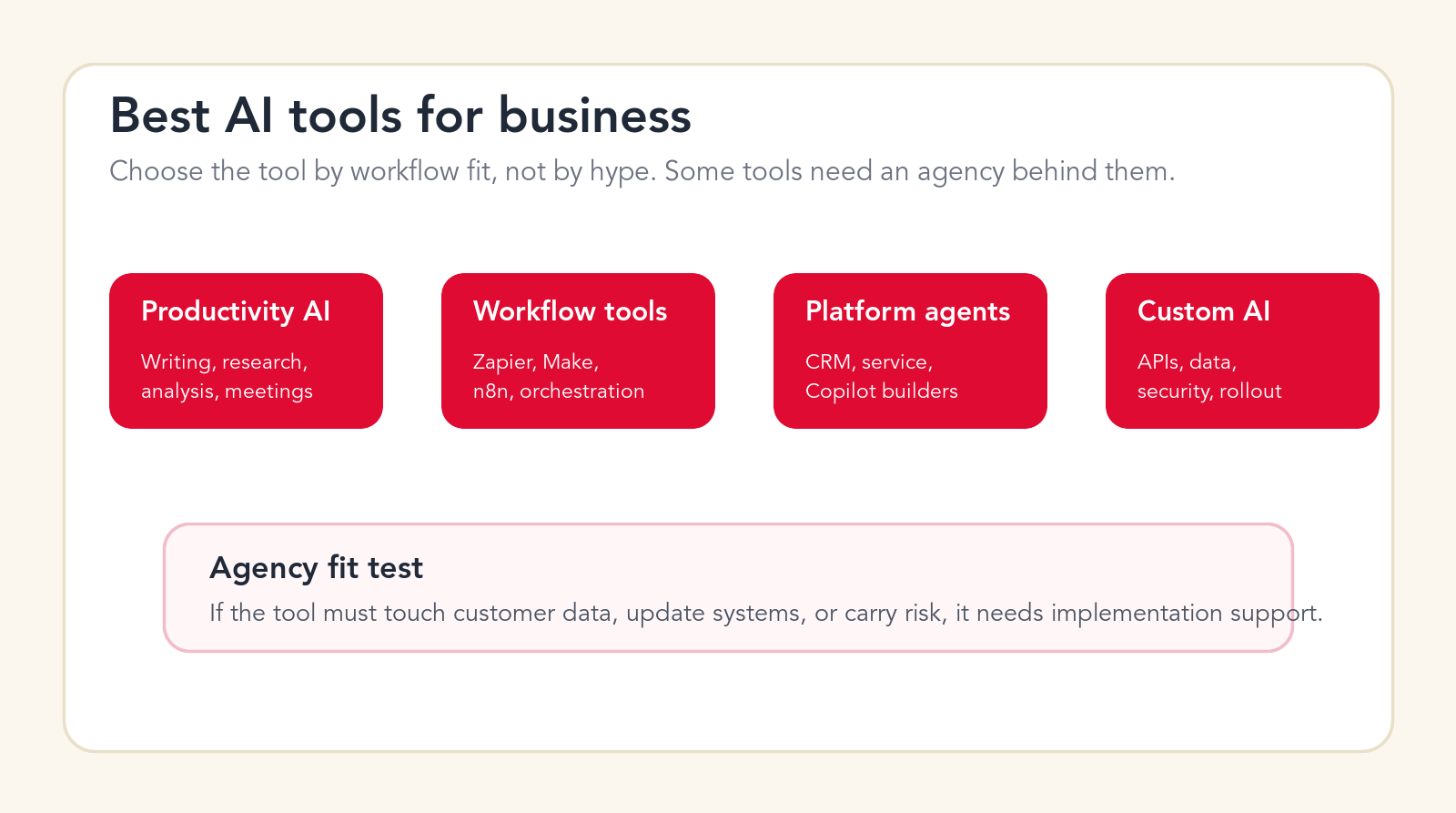
Agency fit test
If the tool must touch customer data, update systems, or carry risk, it needs implementation support.
Focus
Best AI tools for business
Best for
Teams choosing AI tools
What it compares
DIY tools and agency support
Main service
AI Automation Agency
TL;DR
The best AI tools for business fall into four groups: productivity assistants, embedded suite AI, workflow automation platforms, and custom or platform AI agents. Simple writing, meeting, research, and analysis tools can often be rolled out internally. Tools that touch CRM records, support tickets, invoices, sales workflows, customer data, security permissions, or systems of record usually need agency implementation behind them. The tool is only the interface. The workflow design, integration, governance, training, and measurement are what produce business value.
Every business is being pitched AI tools. Some promise faster writing. Some promise automated support. Some promise AI agents that work across apps. Some promise CRM intelligence, document processing, analytics, or no-code automation. The problem is not a shortage of tools. The problem is knowing which tools are safe to use as software and which tools need a real implementation partner behind them.
A writing assistant can help an individual immediately. A meeting summary tool can save time without changing the business architecture. But an AI agent that qualifies leads, updates a CRM, replies to customers, processes invoices, or changes support priorities is different. That kind of tool changes business operations. It needs workflow design, integrations, data governance, permission controls, human review, and measurement.
This guide is not a paid ranking. It is a practical buyer guide for business teams. It explains the main AI tool categories, when they are useful, when software alone is enough, and when an AI automation agency should be involved before the tool becomes part of daily work.
Quick Answer: DIY Simple Tools, Get Agency Help for Workflow Tools
Use AI productivity tools internally when the work is low-risk, individual, reversible, and easy to review. Examples include drafting emails, summarizing notes, brainstorming campaign ideas, analyzing a spreadsheet, improving a proposal, or helping a manager prepare for a meeting. These tools still need basic usage guidance, but they usually do not need a full agency build.
Get agency help when the AI tool becomes part of a workflow. If it needs to connect to your CRM, help desk, ERP, documents, database, calendar, inbox, warehouse, payment process, or reporting stack, the project is no longer only a tool purchase. It is an implementation. If the tool can affect customers, money, legal language, employee data, security access, or brand reputation, it needs stronger design.
The practical rule is simple: if the AI tool only helps one person think, draft, or summarize, you can usually start small. If the AI tool moves work through systems, changes records, speaks to customers, or makes operational decisions, involve an implementation partner.
| Tool category | Good for | Agency need | Why |
|---|---|---|---|
| Productivity assistants | Writing, research, summaries, analysis, meeting prep. | Low to medium | Mostly user adoption, policies, and training. |
| Workspace AI | Email, docs, slides, sheets, internal knowledge. | Medium | Admin controls, data access, templates, team rollout. |
| Workflow automation tools | Lead routing, ticket triage, approvals, data sync, reporting. | High | Needs integrations, guardrails, testing, monitoring. |
| AI agents and custom AI | Cross-system work, customer actions, ERP/CRM updates, documents. | Very high | Needs workflow architecture, security, review, support. |
How to Judge the Best AI Tools for Business
The best AI tools for business should be judged by workflow fit, data fit, risk fit, and adoption fit. A tool can have excellent AI features and still be the wrong purchase if it does not match how the team works. A tool can have a beautiful demo and still fail if the data is messy, permissions are unclear, or nobody owns the workflow.
Workflow fit asks whether the tool improves a repeated process. Data fit asks whether the tool can access the right context without risky workarounds. Risk fit asks what happens if the tool is wrong. Adoption fit asks whether the team will actually use it after the first week. Most AI buying mistakes happen because a company evaluates features instead of these four questions.
A good tool should also have a clear path to measurement. If the tool saves time, where will that show up? If it improves support quality, how will you track it? If it cleans CRM data, who reviews the changes? If it automates invoices, who approves exceptions? The tool should connect to a business outcome, not just an AI demo.
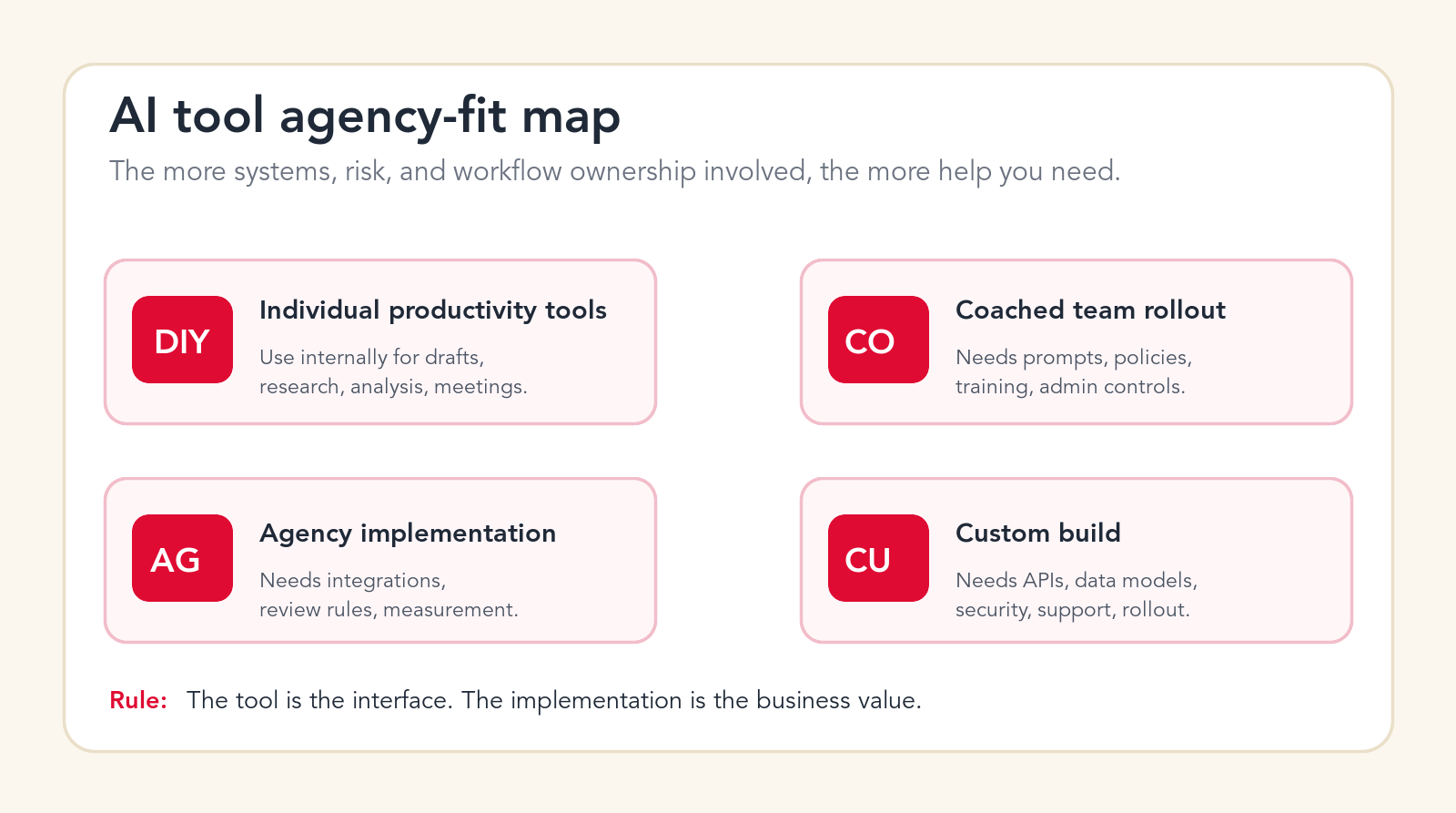
Best AI Tool Categories for Business Teams
The following categories cover the AI tools most business teams are evaluating. The examples are included to make the categories concrete, not to claim one vendor is always best. The right choice depends on your stack, data, team maturity, security requirements, and workflow goals.
1. AI Productivity Assistants
AI productivity assistants include tools such as ChatGPT Business, ChatGPT Enterprise, Claude for Work, Gemini, and similar assistants that help employees write, research, analyze, summarize, and reason through work. These tools are often the easiest place to start because they do not require a deep workflow build on day one.
Use them for first drafts, internal research, spreadsheet analysis, meeting preparation, proposal improvement, customer email drafts, job description drafts, policy summaries, and executive briefings. They can help almost every department, but the value depends on how clearly employees know what good output looks like.
Agency need is usually low for basic use and medium for serious rollout. If you only want individuals to write faster, start internally. If you want prompt libraries, approved use cases, data rules, admin controls, custom GPTs, workspace agents, department workflows, or adoption measurement, implementation support becomes useful.
2. Workspace AI Inside Email, Docs, Sheets, and Meetings
Workspace AI tools are built into the apps employees already use. Microsoft 365 Copilot, Google Workspace with Gemini, Notion AI, and similar tools can help with email drafting, document editing, meeting summaries, slide creation, spreadsheet support, search, and internal knowledge work. Their advantage is proximity. They sit where work already happens.
These tools are strong for individual and team productivity. They help people reduce blank-page work, summarize long threads, turn meeting notes into action items, and find information faster. They are less likely to solve deep operations problems by themselves because they are usually assisting users rather than redesigning workflows.
Agency need is medium. Many teams can enable the features internally, but serious rollout needs governance. Decide who gets access, what data can be used, how employees should verify outputs, and what templates or workflows should be standardized. Without training, teams often underuse these tools or use them inconsistently.
3. AI Workflow Automation Platforms
AI workflow automation platforms include tools such as Zapier, Make, n8n, and similar orchestration systems. These platforms connect apps, trigger workflows, move data, run AI steps, and update systems. They are powerful because they turn AI from a chat output into a process.
Use them for lead routing, support ticket classification, invoice intake, CRM cleanup, enrichment, reporting, approval routing, document handling, and data sync. The best use cases are repeated workflows where input comes from one system and output must update another.
Agency need is high when workflows touch customer data, business-critical records, or multiple systems. The platform may be no-code or low-code, but the workflow still needs architecture. Someone must design triggers, field mapping, error handling, permissions, review rules, logs, and monitoring. Without that work, teams often create fragile automations that break quietly.
4. AI Agent Builders and Agent Platforms
AI agent builders and platforms include products such as Microsoft Copilot Studio, Salesforce Agentforce, Zapier Agents, Make AI Agents, and similar tools that let businesses create agents that can reason, retrieve context, and take actions. These tools are more ambitious than basic automation because they can adapt to variable inputs and choose actions inside defined boundaries.
Use them when the task requires judgment, context, and multi-step execution. Examples include routing service requests, preparing sales research, answering internal questions from approved data, qualifying leads, updating CRM records, preparing onboarding tasks, or handling structured operational requests.
Agency need is high to very high. Agent platforms make building easier, but they do not remove the need for business design. Agents need clear instructions, tool permissions, knowledge boundaries, escalation rules, test cases, logging, and owners. A poorly scoped agent can create more risk than a traditional automation because its behavior is more flexible.
Free AI tools check
Find which AI tools need agency help.
Drop your email and we will send a first-pass recommendation for which AI tool category fits your workflow and whether it should be DIY, coached, or agency-led.
No spam. We use this to reply with the recommendation.
5. CRM AI and Sales AI Tools
CRM AI tools include AI features inside Salesforce, HubSpot, Microsoft Dynamics, and other sales or customer platforms. Sales AI tools also include prospect research, lead scoring, email drafting, call summaries, pipeline analysis, and next-best-action recommendations.
These tools can be valuable because sales teams often lose time to research, admin, follow-up drafting, CRM cleanup, and qualification. AI can help reps prepare faster and help managers see patterns earlier. But CRM AI is only as useful as the CRM data behind it.
Agency need is medium to high. If the tool only helps reps draft emails, rollout can be simple. If it updates lead scores, creates tasks, changes lifecycle stages, enriches records, routes leads, or affects pipeline reporting, implementation support matters. Bad CRM automation creates bad forecasts and messy handoffs.
6. Customer Service AI Agents
Customer service AI tools include AI agents and assistants for support teams, such as Intercom Fin, Zendesk AI, and other help desk AI products. They can answer common questions, draft responses, route tickets, summarize conversations, analyze quality, and identify support trends.
These tools can produce quick wins because support teams handle repeated questions and routing decisions every day. They can reduce response time and free human agents for complex issues. The risk is that a wrong answer is customer-facing. A support AI tool can hurt trust quickly if it uses weak knowledge, hides escalation, or replies with confidence when it should ask for review.
Agency need is high when customer-facing automation is involved. The implementation should include knowledge cleanup, policy mapping, fallback behavior, escalation rules, conversation testing, performance monitoring, and support team training. For internal agent-assist only, the agency need may be lower.
7. Document Processing and OCR AI Tools
Document AI tools extract and structure information from invoices, contracts, forms, applications, PDFs, scans, and attachments. They can identify document types, extract fields, summarize clauses, match records, and route exceptions. This category is useful for finance, operations, legal intake, insurance, logistics, HR, and compliance-heavy work.
Document AI becomes valuable when the output updates a downstream process. Extracting text is not enough. The workflow needs to decide what field matters, which system should receive the data, what confidence threshold is acceptable, who reviews exceptions, and how the original document is stored.
Agency need is high. Document workflows often touch money, contracts, personal data, or compliance records. They require careful validation, field mapping, exception routing, audit trails, and system integration. A document AI tool can be excellent, but the business value comes from the process around it.
8. Analytics, BI, and Reporting AI Tools
Analytics AI tools help teams ask questions of data, generate reports, summarize performance, spot changes, and explain trends. They may live inside BI platforms, spreadsheets, data warehouses, CRM analytics, or standalone analysis tools. They are useful for leadership reporting, revenue operations, marketing performance, finance analysis, and operations monitoring.
The main risk is data trust. AI can make a chart or explanation sound polished even when the underlying metric is wrong. Business teams need shared definitions, clean sources, and clear reporting ownership. Otherwise the AI becomes a faster way to spread confusing numbers.
Agency need is medium to high. Simple spreadsheet analysis can be internal. Automated executive reporting, cross-system KPI dashboards, forecasting workflows, and AI-generated insights need data modeling, source governance, and review. The agency work is often less about the AI model and more about making sure the numbers mean what the business thinks they mean.
9. Marketing Content and Creative AI Tools
Marketing AI tools help teams write blog drafts, social posts, ad variations, landing page copy, email campaigns, image concepts, video scripts, campaign briefs, and creative ideas. They can accelerate ideation and production, especially when brand guidelines and audience context are clear.
These tools are usually safe for internal drafting, but risk rises when content is published automatically, claims are regulated, or brand voice matters. AI can create generic content fast. Business value comes from using it with strategy, positioning, evidence, editorial judgment, and conversion goals.
Agency need is low for drafts, medium for repeatable content workflows, and high for automated publishing or revenue-facing content operations. If the AI content workflow needs audience research, brand alignment, image creation, CMS publishing, analytics, and conversion tracking, implementation support is useful.
10. Meeting, Notes, and Knowledge Management AI Tools
Meeting and knowledge AI tools summarize calls, extract action items, create notes, answer questions from internal documents, and help teams find information. These tools can reduce administrative burden and make knowledge easier to reuse.
The tool choice depends on where knowledge already lives. If the company lives in Google Drive, Microsoft SharePoint, Notion, Confluence, Slack, or a CRM, the AI tool should work with that reality. A separate knowledge tool that nobody maintains will become stale quickly.
Agency need is low for personal notes and medium for company knowledge. If you want secure internal search, departmental knowledge bases, onboarding assistants, policy retrieval, or cross-system answers, implementation support matters. The hard part is organizing trusted sources and permission rules.
11. Coding, IT, and Internal Tool AI
Coding and IT AI tools help teams generate code, review code, debug issues, write documentation, create scripts, triage IT requests, and build internal tools. Examples include AI coding assistants, developer agents, IT help desk assistants, and automation tools connected to internal systems.
These tools can be very high leverage because technical bottlenecks slow many business workflows. They can help developers move faster and help non-technical teams automate internal requests. But technical automation can create security, maintainability, and access risks if it is not controlled.
Agency need depends on scope. Developer productivity tools can be adopted internally with engineering policies. Internal AI agents that touch tickets, permissions, customer data, infrastructure, or production systems need stronger controls, review, and monitoring.
12. HR, Recruiting, and Operations AI Tools
HR and operations AI tools help with candidate screening, job descriptions, onboarding, employee questions, policy search, internal request routing, vendor intake, and recurring operational checklists. They can reduce repetitive coordination work and improve consistency.
This category needs care because employee and candidate data is sensitive. AI should not silently make hiring decisions, performance judgments, or policy interpretations without human review. It should prepare work, summarize context, route requests, and help teams respond consistently.
Agency need is medium to high. Simple drafting is easy. Workflows involving candidate data, employee records, approvals, compliance, or internal permissions need governance and review. The best first use cases are usually request routing, onboarding checklists, and policy retrieval with human ownership.
13. Industry-Specific AI Tools
Industry-specific AI tools are built for legal, healthcare, real estate, logistics, insurance, finance, manufacturing, ecommerce, education, or other verticals. They may include specialized language, workflows, templates, compliance features, or integrations. These tools can be stronger than general AI when the use case is narrow and regulated.
The risk is assuming industry labels solve implementation. A healthcare AI tool still needs workflow design and privacy controls. A legal AI tool still needs attorney review. A logistics AI tool still needs system integration and exception handling. A finance AI tool still needs auditability.
Agency need is high when the tool touches regulated workflows or operational systems. Industry tools can reduce build time, but they do not remove the need to map your process, data, approvals, and risk tolerance.
14. Custom AI Applications and API Platforms
Custom AI applications are built when off-the-shelf tools do not fit the workflow. They may use AI APIs, retrieval systems, databases, integrations, dashboards, agent frameworks, document processing, custom interfaces, and human review flows. This is the right path when the workflow is important, specific, and not handled well by a standard product.
Custom AI is not always more expensive in the long run. A company can waste a lot of money forcing many tools to do one workflow badly. A custom build can be cleaner when the process needs strict behavior, deep integration, custom data, or a user experience built around how the team actually works.
Agency need is very high unless the company has strong internal AI engineering, product, security, and operations capacity. Custom AI is a product and workflow project, not just a prompt. It needs discovery, architecture, build, QA, rollout, and maintenance.
Need an AI tool implementation partner?
Choose the tool and the rollout model together.
We can audit your current stack, identify the highest-value AI tool category, and design the workflow, integrations, guardrails, and adoption plan behind it.
Which AI Tools Need an Agency Behind Them?
Tools need an agency behind them when the risk or complexity moves beyond individual productivity. The clearest signals are integrations, customer-facing actions, system updates, sensitive data, unclear ownership, messy workflows, and measurable ROI expectations.
A tool that connects to the CRM and changes lead ownership needs implementation support. A tool that replies to customers needs knowledge design and escalation rules. A tool that extracts invoice data needs validation and audit trails. A tool that creates executive reports needs shared metrics and source governance. A tool that builds agents across apps needs permissions, testing, logs, and monitoring.
This does not mean every company needs a large project. It means the company should match the support level to the operational risk. A two-week workflow pilot with clear review rules is often better than a six-month platform rollout. The important thing is not to pretend a business workflow is just a software subscription.
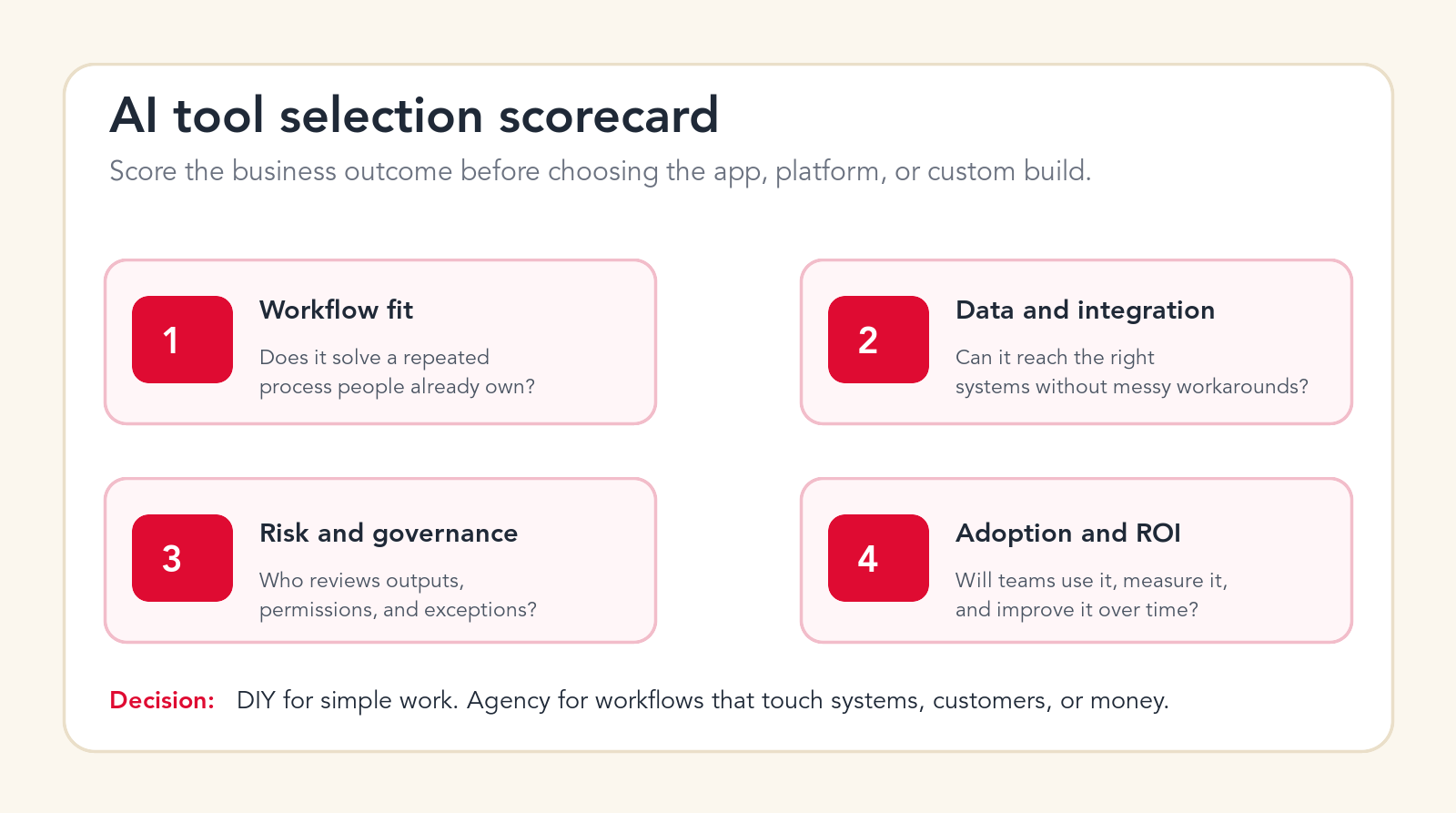
AI Tool Selection Scorecard
Score every AI tool against four criteria. First, workflow fit. Does it solve a repeated process that people already own? Second, data and integration. Can it reach the right systems without risky manual copying? Third, risk and governance. Who reviews outputs, permissions, exceptions, and mistakes? Fourth, adoption and ROI. Will the team use it, measure it, and improve it over time?
If the tool scores high on workflow fit but low on data access, the project may need integration before rollout. If it scores high on features but low on adoption, the team may need training and templates. If it scores high on automation but low on governance, slow down and add review rules. The scorecard helps the buyer see whether the next step is purchase, pilot, cleanup, or custom implementation.
How Tool Choice Changes by Company Size
Small businesses should usually start with tools that create value quickly without adding a lot of operational complexity. A secure productivity assistant, workspace AI inside email and documents, a simple automation platform, and one clear customer or sales workflow are often enough for the first phase. The goal is not to build a giant AI stack. The goal is to remove repeated work from a small team without creating systems nobody can maintain.
Mid-market companies usually need more structure. They often have enough volume to justify workflow automation, but not enough internal capacity to design every integration and governance rule alone. This is where an agency can help choose a practical tool mix: one assistant layer for employees, one automation layer for repeated work, one customer or CRM AI layer if needed, and a measurement plan. The implementation should prevent each department from buying disconnected AI tools that create duplicated data and inconsistent processes.
Enterprise teams need even stronger governance. They may already have Microsoft, Google, Salesforce, ServiceNow, SAP, Oracle, or other platforms with AI features included. The buyer question is often not "which AI tool exists?" but "which AI capability should we activate, integrate, or restrict first?" Enterprise AI work must consider identity, permissions, audit trails, procurement, security reviews, business continuity, data retention, and change management.
The agency role changes by company size. For small teams, the agency may help pick the first use case and build a lean workflow. For mid-market teams, the agency may design integrations, guardrails, and rollout. For enterprise teams, the agency may support pilots, business process mapping, agent architecture, data readiness, and adoption inside a larger governance model. The same tool can be DIY for one company and agency-led for another because the surrounding workflow is different.
A Practical AI Tool Stack for Most Businesses
A practical AI tool stack usually has four layers. The first layer is employee productivity: writing, research, analysis, meeting notes, and internal reasoning. The second layer is knowledge and workspace AI: approved documents, policies, CRM notes, support content, and searchable internal information. The third layer is workflow automation: triggers, routing, field updates, enrichment, approvals, reporting, and human review. The fourth layer is custom or agentic AI: specialized workflows that need deeper context, custom interfaces, or action across several systems.
Many businesses make the mistake of buying the fourth layer before building the first three. They want a custom AI agent, but the knowledge base is messy, the CRM is incomplete, and the team has no review process. A better path is to build the stack in order. Give teams safe assistants, organize knowledge, automate one repeated workflow, then add custom agents where the value is proven.
This layered view also helps control cost. Not every task needs a custom agent. Not every team needs a premium platform. Not every workflow should be automatic. The right stack uses simple tools where simple tools are enough and custom implementation only where the business case justifies it.
A 90-Day AI Tool Rollout Plan
A practical AI tool rollout starts small and moves toward workflow value. The first 90 days should prove that the selected tool fits a real process, produces reliable outputs, and can be adopted by the team.
Days 1-15: Choose the use case and tool category
Pick one workflow, not a broad AI goal. Decide whether the need is productivity, embedded workspace AI, workflow automation, an agent platform, or custom AI. Define the owner, outcome, data sources, risks, and review path before choosing the final tool.
Days 16-45: Pilot with real work
Test the tool on real examples from the team. Use actual tickets, leads, documents, reports, notes, or requests. Track accuracy, time saved, review effort, user confidence, and failure modes. Do not rely only on vendor demos or clean sample data.
Days 46-75: Add workflows, controls, and training
Add templates, instructions, knowledge sources, integration rules, permissions, escalation paths, and team training. Make review easy. If users have to open five systems to validate an AI output, adoption will suffer.
Days 76-90: Expand only what is proven
Expand the parts that show measurable value. Add more teams, workflows, or automation only after quality and ownership are clear. If the first pilot reveals data quality problems, fix those before scaling.
Common AI Tool Buying Mistakes
The first mistake is buying a platform before choosing the workflow. This leads to shelfware or scattered experiments. The second mistake is comparing tools only by features. Features matter, but workflow fit matters more. The third mistake is ignoring data quality. AI tools can make poor data look more polished, but they cannot make it reliable by magic.
The fourth mistake is skipping governance. Teams need rules for sensitive data, customer-facing replies, approval thresholds, and system updates. The fifth mistake is treating adoption as automatic. Employees need examples, templates, training, and permission to give feedback. The sixth mistake is expanding before measuring. A pilot should prove value before the company makes it the new operating model.
Best AI Tools for Business Checklist
Before buying or rolling out an AI tool, answer these questions. What workflow are we improving? Who owns the outcome? Which data does the tool need? Which systems must it update? What happens when the AI is wrong? Who reviews sensitive outputs? What permissions are required? What metric will prove value? What training will users receive? What support will maintain the workflow after launch?
If the answers are simple, a DIY tool may be enough. If the answers cross departments, systems, data rules, and risk, treat the project as implementation. The best AI tools for business are not just bought. They are fitted to the work.
Free AI stack recommendation
Get a practical recommendation for your first AI tool rollout.
Send your email and we will reply with a first-pass view of which AI tool category fits your business and whether agency support is needed.
No spam. We use this to reply with the recommendation.
FAQ: Best AI Tools for Business
What are the best AI tools for business?
The best AI tools for business depend on the workflow. Common categories include productivity assistants, workspace AI, workflow automation platforms, CRM AI, customer service AI agents, document AI, analytics AI, and custom AI applications.
Which AI tools can businesses use without an agency?
Simple productivity tools for drafting, summarizing, research, meeting notes, and analysis can often start internally. Businesses should still set usage guidelines, data rules, and examples for employees.
Which AI tools need agency implementation?
AI tools that touch CRM records, support tickets, invoices, ERP data, customer-facing replies, sensitive information, approvals, or cross-system workflows usually need agency implementation support.
Should we buy AI software or build a custom AI solution?
Buy software when the workflow is common and the product fits your systems. Build custom AI when the workflow is specific, high-value, data-heavy, or requires a controlled experience that off-the-shelf tools cannot provide.
Can Go Expandia help choose and implement AI tools?
Yes. Go Expandia can audit your workflow, choose the right AI tool category, design implementation guardrails, connect systems, build custom AI workflows, and support team rollout.
About Bailey Roque
Bailey Roque writes for Go Expandia on AI automation, AI agent development, workflow design, AI consulting, and practical rollout models for business teams.
Related posts
Keep comparing practical AI options
Ready to Choose AI Tools With the Workflow Behind Them?
Go Expandia helps companies choose practical AI tools, design workflow implementation, connect systems, and roll out AI with measurable business value.