Agentic Workflows: 15 Business Examples You Can Automate First
Agentic workflows use AI agents to complete multi-step business work: reading context, choosing the next action, using tools, asking for approval, and handing off clean results. This guide shows which workflows are practical first pilots and which ones need stronger guardrails before automation.
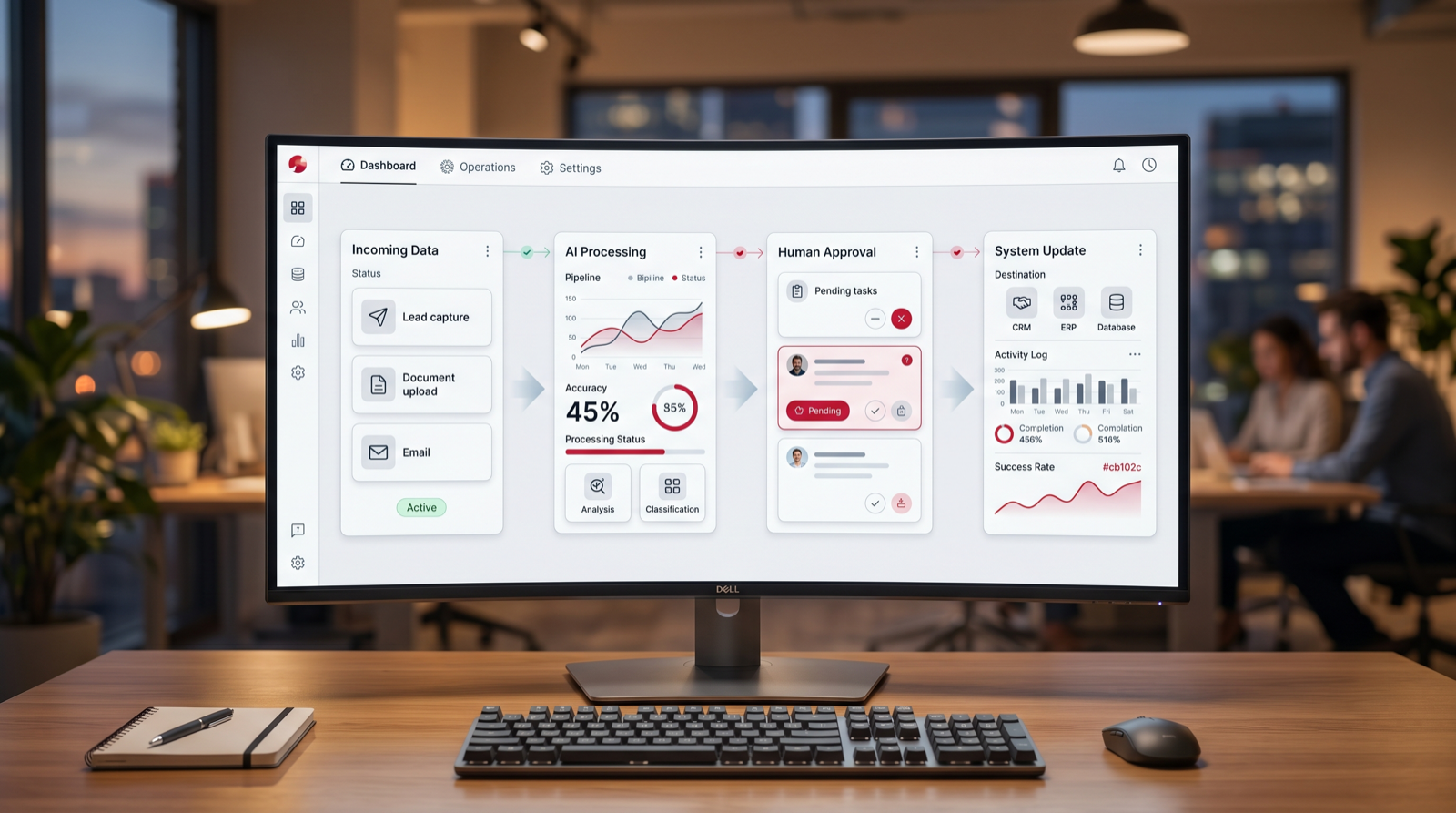
Best first agentic workflow
A repeated process where an AI agent can prepare, route, check, or draft work while a person reviews the important step.
Focus
Agentic workflows
Decision point
Implementation planning
What it covers
First agentic workflows
Main service
AI Agent Development
TL;DR
Start agentic workflows where the process is frequent, tool-based, measurable, and safe to review. Good first candidates include lead routing, support triage, sales research, proposal drafting, invoice checks, document processing, CRM cleanup, weekly reporting, meeting follow-up, approvals, recruiting intake, onboarding, renewals, internal knowledge search, and compliance evidence. Do not start with vague autonomy, sensitive final decisions, or workflows nobody owns.
Agentic workflows are becoming practical because business leaders are moving past simple AI chat and asking a harder question: what work can an AI agent actually complete? The answer is not "everything." The right answer is narrower and more useful. An agentic workflow is a defined business process where an AI agent can read inputs, use tools, follow rules, produce an output, and escalate exceptions without pretending to replace accountable people.
This matters for companies evaluating an AI automation agency, AI consulting services, AI agent development, or custom AI solutions. A chatbot can answer a question. A workflow automation can move data from one system to another. An agentic workflow can combine both: it can understand the request, check the CRM, summarize the account, draft the reply, create a task, and ask a person to approve the final action.
The best first agentic workflows are not science fiction. They are the repeated business processes teams already run manually every week. The opportunity is to give those processes a controlled AI teammate: one that prepares work faster, keeps status visible, reduces copy-paste, and lets humans focus on judgment, customer relationships, and exceptions.
What Is an Agentic Workflow?
An agentic workflow is a multi-step process where an AI agent is allowed to act inside a defined operating boundary. The agent does not only generate text. It gathers context, decides the next workflow step, uses approved tools, checks rules, creates or updates records, and hands work to people when review is needed. The business still defines the process, data access, approval path, and success metric.
A simple automation might say, "When a form is submitted, create a CRM task." An agentic workflow might say, "When a form is submitted, inspect the company size, read the website, score fit, check for an existing account, summarize the opportunity, route the lead to the right owner, draft a first response, and ask the rep to approve it." That is a different level of workflow design.
The word "agentic" can sound abstract, but the operating question is concrete: should AI be trusted to prepare the next action? If yes, the workflow can become agentic. If the next action is high risk, legally sensitive, poorly defined, or dependent on hidden judgment, the agent should only prepare evidence or summarize context until the process is mature.
How to Choose the First Agentic Workflow
Choose the first workflow by scoring value, readiness, and risk together. Value means the workflow happens often enough to matter and removes visible manual work. Readiness means the inputs, tools, data, and owner are clear. Risk means the agent can be limited, reviewed, and monitored before it affects customers, payments, legal commitments, or employee decisions.
The best first workflow is usually not the most ambitious workflow. It is the one with enough structure to build quickly and enough pain to prove value. Look for work that employees describe as "the same thing every time," "manual but important," "easy to mess up," "stuck in handoffs," or "always waiting for someone to check context." Those phrases are practical automation signals.
| Question | Strong first candidate | Weak first candidate |
|---|---|---|
| Does it happen often? | Daily or weekly work with enough volume to measure. | Rare work that only happens a few times per year. |
| Can the agent access context? | Information lives in email, CRM, tickets, forms, documents, or databases. | Context lives in informal conversations or memory. |
| Is the next action clear? | The agent can route, summarize, draft, check, update, or escalate. | The process has no shared definition of done. |
| Can people review it? | Human approval exists before sensitive output is final. | The agent would make irreversible decisions alone. |
Free agentic workflow checkup
Find the first agentic workflow worth piloting.
Drop your email and we will send a first-pass recommendation for which workflow your team should automate first, what the agent should do, and where human review belongs.
No spam. We use this to reply with the checkup.
1. Lead Qualification and Routing
Lead qualification is one of the clearest first agentic workflows because the process has a trigger, a business outcome, and a measurable delay. A new lead arrives through a form, email, ad campaign, event list, or chatbot. Someone has to inspect the company, check fit, identify urgency, find duplicates, assign the right owner, and decide what follow-up should happen. That work is repetitive, but it is also important enough to affect revenue.
An AI agent can read the form submission, enrich the company context, check the CRM for existing records, classify industry and company size, identify requested service, score fit, route the lead, draft a first reply, and create the next task. The agent should not invent interest or promise pricing. It should prepare the rep with clean context and suggest the next step.
Start with a narrow version: inbound leads only, one region or service line, and human approval before any email goes out. Measure speed to first review, duplicate detection, routing accuracy, and whether reps accept the drafted follow-up. If the agent improves response quality and reduces manual checking, expand into lead nurturing and sales handoff workflows.
2. Customer Support Triage
Support triage is a strong agentic workflow when the team receives repeated tickets that need classification, context gathering, priority assignment, and routing. Many support teams lose time before solving the issue because someone first has to read the ticket, identify the customer, check account status, search past cases, decide whether the issue is urgent, and assign the right queue.
An AI agent can summarize the ticket, identify product area, detect sentiment, check customer tier, find related tickets, suggest priority, draft an internal note, and route the case. If the customer question is simple and covered by approved knowledge, the agent can draft a response for review. For sensitive, angry, technical, or ambiguous cases, it should escalate with context instead of trying to resolve alone.
The first pilot should focus on internal preparation rather than full customer-facing autonomy. Measure first-response preparation time, routing accuracy, escalations, repeated categories, and how often agents or support reps accept the AI summary. Over time, the workflow can become more autonomous for low-risk FAQ-style cases while keeping human review for complex support.
3. Sales Research and Account Preparation
Sales research is a practical agentic workflow because it includes several small tasks that are tedious but valuable. Before a call, a rep may need to review the account, recent interactions, company news, website positioning, CRM notes, open opportunities, support issues, and potential pain points. When reps skip this work, calls become generic. When they do it manually, preparation can take too long.
An AI agent can prepare an account brief. It can collect CRM history, summarize recent emails, inspect the company website, identify likely business priorities, list open questions, and draft a call plan. It can also flag missing information, such as unknown decision maker, unclear budget, or no recent activity. This gives the rep a better starting point without forcing them to jump across tools.
Keep this workflow evidence-based. The agent should cite where information came from and avoid guessing. A strong output includes sections such as account context, known needs, risk signals, suggested discovery questions, and recommended next action. The sales person still owns the conversation. The agent removes scattered research and makes preparation consistent.
4. Proposal and Statement-of-Work Drafting
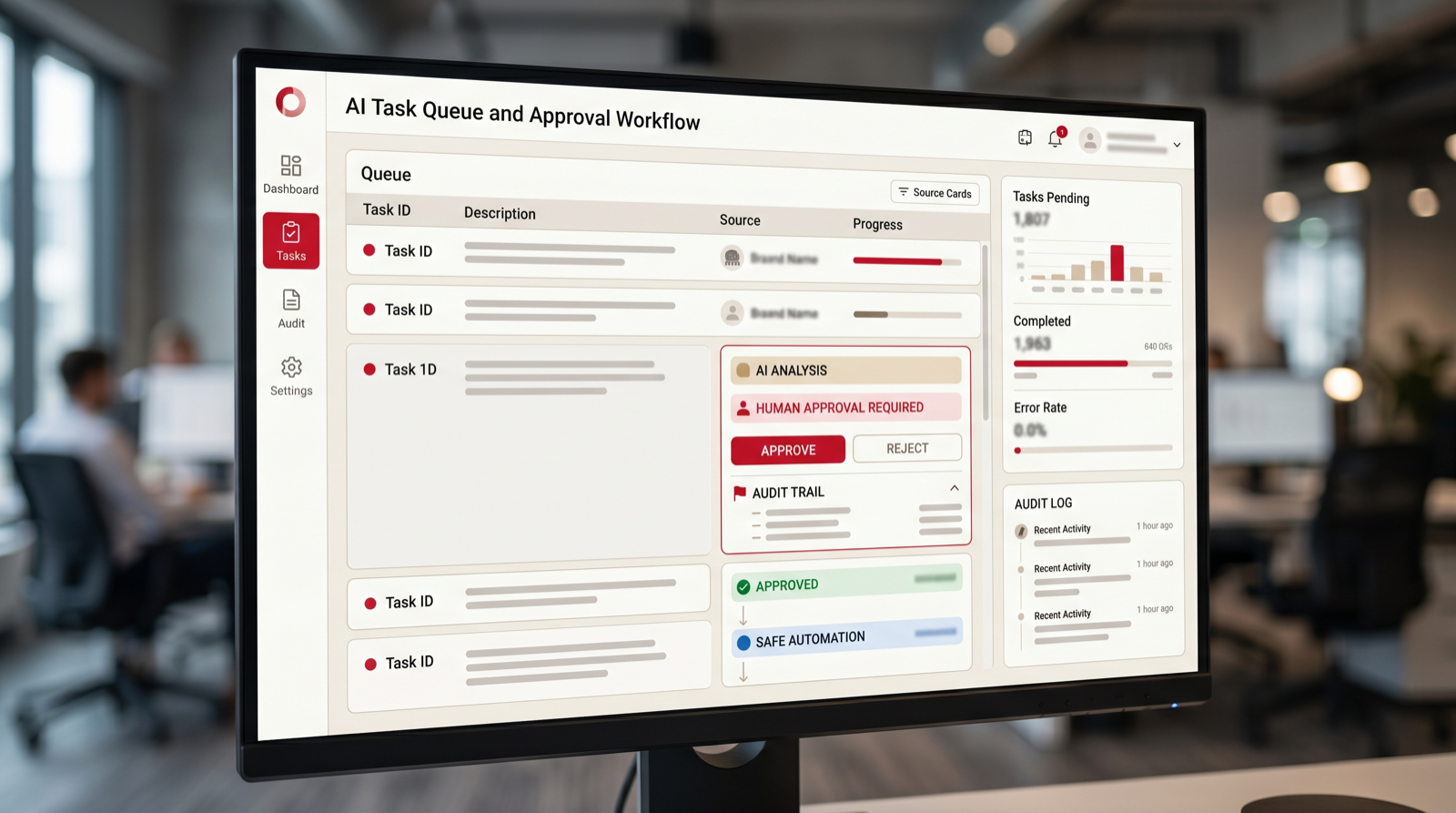
Proposal drafting often looks creative from the outside, but much of it is structured operations. Teams reuse discovery notes, service descriptions, scope assumptions, timelines, deliverables, exclusions, pricing logic, and approval terms. The manual work is gathering the right context and turning it into a draft that a human can review.
An agentic workflow can read the discovery notes, pull the correct service language, summarize the business problem, draft a scope, list assumptions, identify missing details, and prepare a statement-of-work outline. It can also check the draft against required sections before sending it to a manager or sales owner for review. This saves time without letting AI make commercial commitments alone.
This workflow needs careful boundaries. The agent should not finalize price, legal terms, discounts, or delivery commitments unless those rules are explicit and reviewed. A good first pilot creates internal proposal drafts only. Measure drafting time, missing-section reduction, manager edits, and whether the workflow helps the team respond faster with more consistent proposals.
5. Invoice Intake and Accounts Payable Review
Invoice intake is a strong candidate because it is frequent, document-heavy, and rules-based. Finance teams receive invoices by email or portal, download attachments, extract vendor details, check amounts, compare purchase orders, verify approvals, and enter information into accounting systems. Manual handling creates delays and small errors that become frustrating during month-end close.
An AI agent can monitor an invoice inbox, extract fields, match the vendor, compare invoice data with purchase orders or contracts, identify missing approval, flag duplicates, draft a payment review note, and send exceptions to the right person. The workflow becomes agentic when the system is allowed to move the invoice through several steps instead of only reading the PDF.
Human review should stay in place for payment approval, new vendor setup, large amounts, unusual terms, or failed matches. The first pilot might only process invoices from known vendors under a defined threshold. Measure extraction accuracy, exception rate, review time, duplicate detection, and how often finance needs to correct the prepared record.
6. Document Processing and Data Extraction
Document processing is broader than invoices. Businesses handle contracts, onboarding forms, supplier documents, applications, reports, claims, receipts, shipping documents, certificates, and PDFs full of operational data. These documents often need to become structured records before any workflow can continue.
An AI agent can classify the document type, extract key fields, check whether required information is present, compare values against existing records, create a summary, and route the document for review. If the document fails checks, the agent can ask for missing information or create an exception task. That is more useful than simple OCR because it connects extraction to workflow action.
Start where formats repeat but are not perfectly identical. A pilot can focus on one document type, one team, and one destination system. The agent should show extracted values, confidence, source locations, and exceptions. Do not hide the evidence. Users trust document automation when they can see why the agent made a recommendation.
7. CRM Hygiene and Lifecycle Updates
CRM cleanup is not exciting, but it is one of the most valuable agentic workflows for sales and operations teams. Bad CRM data weakens forecasting, follow-up, segmentation, reporting, and customer handoffs. Reps often avoid updates because the work is repetitive and interrupts selling. Managers then lose visibility and create more manual reporting requests.
An AI agent can review recent activity, identify stale opportunities, suggest next steps, flag missing fields, detect duplicates, summarize account status, and draft CRM updates after meetings or emails. It can also route records that need manager review, such as deals with no activity, mismatched stage, or missing close date.
Keep final data changes controlled at first. The agent can prepare updates and ask the owner to approve. For low-risk fields, such as meeting summary, last-contact note, or next task creation, teams may allow automatic updates after testing. Measure field completion, duplicate reduction, forecast hygiene, and time saved from manual CRM admin.
8. Weekly Reporting and KPI Commentary
Weekly reporting is often a hidden drain. Someone gathers numbers from dashboards, exports spreadsheets, writes commentary, explains changes, asks teams for updates, and turns the information into a digest. This is a strong agentic workflow because the process is repeated, source-based, and useful when the output is reviewed before publishing.
An AI agent can collect metrics from approved sources, compare them with prior periods, identify anomalies, draft commentary, list questions for owners, and prepare an executive summary. It can also create separate versions for leadership, sales, operations, or finance. The agent does not need to decide strategy. It prepares the reporting pack so people can discuss decisions faster.
The risk is confident but unsupported commentary. Require source links, metric definitions, and review. A good report agent should say when data is missing, stale, or inconsistent. Measure time spent preparing reports, number of manual corrections, clarity of exception notes, and whether stakeholders ask fewer follow-up questions because the report is more complete.
9. Meeting Notes, Follow-Ups, and Task Creation
Meetings create work, but the work often disappears into notes, chat messages, and memory. After a sales call, project review, support escalation, or internal planning meeting, someone needs to summarize decisions, assign tasks, update systems, send follow-ups, and check whether commitments are captured. This is a practical agentic workflow because the input is clear and the output can be reviewed.
An AI agent can turn meeting transcripts or notes into decisions, tasks, owners, deadlines, risks, and follow-up drafts. It can create CRM notes, project management tasks, support escalations, or internal reminders. The agent should ask for approval before sending external follow-ups or creating commitments that affect customers.
The first pilot should focus on one meeting type. For example, automate follow-up after sales discovery calls or weekly project reviews. Measure whether tasks are captured more consistently, whether follow-ups go out faster, and whether fewer commitments are missed. This workflow often creates immediate trust because people see the output in their daily work.

10. Internal Approval Workflows
Approval workflows are good candidates when requests are frequent and the approval rules are clear. Examples include purchase requests, content approvals, discount approvals, contract reviews, access requests, vendor onboarding, and budget exceptions. The manual pain is not only the approval itself. It is gathering context, checking policy, finding the right approver, and chasing status.
An AI agent can collect required fields, check policy thresholds, summarize the request, identify the right approver, flag missing documents, create an approval task, and remind owners when the workflow is stuck. It can also prepare a decision memo showing why the request appears within policy or why it needs extra review.
Do not let the agent approve sensitive requests alone at the start. Use it to prepare evidence and route correctly. The pilot should track approval cycle time, missing-information rate, reminders, and how often requests go to the wrong person. A good approval agent makes the process calmer and more transparent without weakening accountability.
11. Recruiting Intake and Candidate Review Preparation
Recruiting workflows contain repeated steps, but they also require fairness and care. That makes them a good fit for agentic preparation and a poor fit for unchecked decision-making. Hiring teams need role intake, candidate summaries, interview coordination, scorecard preparation, feedback reminders, and status updates. Those tasks can be automated without letting AI make the hiring decision.
An AI agent can turn a hiring manager intake form into a role brief, check whether requirements are clear, prepare candidate summaries, organize interview notes, remind interviewers to submit feedback, and highlight missing scorecard fields. It can also draft candidate communication for recruiter review.
Keep bias-sensitive decisions under human control. The agent should not rank candidates using hidden criteria or reject candidates without review. It should support consistency by making sure the same evaluation structure is used. Measure recruiter admin time, feedback completion, time to next step, and whether hiring managers get clearer candidate packets.
12. Customer Onboarding Coordination
Customer onboarding is a strong agentic workflow because it crosses teams and systems. After a deal closes, the business may need to create a project, collect documents, schedule kickoff, assign owners, confirm scope, prepare welcome materials, configure tools, and track early milestones. Handoffs often fail because sales, operations, delivery, and support each hold part of the context.
An AI agent can read the closed deal, summarize the customer goals, create an onboarding checklist, identify missing information, draft the kickoff agenda, create internal tasks, and prepare a customer-facing welcome note for review. It can also watch for stuck steps and remind owners before deadlines slip.
The first pilot should not automate every onboarding path. Choose one customer segment or service package. Define required inputs, handoff rules, and success metrics. Measure time from close to kickoff, missing-information rate, internal handoff quality, and early customer questions. A good onboarding agent makes the company look more organized without removing personal contact.
13. Renewal and Customer Health Monitoring
Renewal work is often reactive. Teams notice risk late because usage, support tickets, account notes, billing history, and relationship signals live in different places. An agentic workflow can monitor those signals and prepare customer health context before renewal conversations become urgent.
An AI agent can review usage patterns, support history, missed milestones, open issues, survey feedback, account notes, and contract dates. It can summarize customer health, suggest risk level, draft a renewal prep brief, and create tasks for the account owner. It can also flag customers who need proactive outreach before renewal.
The agent should support account teams, not replace relationship judgment. It may identify signals, but the customer owner decides tone, timing, and next action. Measure renewal prep time, risk detection, account owner adoption, and whether fewer renewals surprise the team. This workflow is especially useful when customer data is scattered across support, CRM, and product systems.
14. Knowledge Base Search and Internal Help Desk
Internal questions slow teams down when answers are buried in documents, policies, chat threads, old tickets, or project notes. A knowledge agent can answer common internal questions, cite sources, and route unresolved questions to the right owner. This is one of the safest agentic workflows when the agent is limited to approved sources and avoids making policy decisions alone.
An AI agent can search the knowledge base, summarize the answer, provide source links, identify whether the content is outdated, and create a request when no reliable answer exists. For IT, HR, operations, or support teams, it can reduce repeated questions while improving documentation gaps.
The first pilot should use a narrow knowledge domain, such as onboarding policies, product support procedures, sales operations rules, or internal tool help. Measure answer acceptance, unresolved questions, source quality, and documentation gaps discovered. The real value is not only fewer questions. It is a healthier operating knowledge system.
15. Compliance Evidence and Audit Preparation
Compliance evidence collection is a strong agentic workflow when the business repeatedly gathers screenshots, logs, policies, access reviews, approvals, training records, vendor documents, or security artifacts. The work is time-consuming and detail-heavy, but much of it follows a checklist. An AI agent can help organize evidence without deciding whether the company is compliant.
The agent can read the evidence request, map it to required documents, check whether files are present, summarize what each item proves, flag gaps, request missing material, and prepare a review packet. It can also maintain a status tracker so teams know which evidence is ready, pending, or blocked.
Keep compliance judgments with responsible people. The agent should gather, label, summarize, and route evidence. It should not certify compliance or answer auditors without review. Measure time to assemble evidence, missing-item rate, duplicate requests, and review readiness. This workflow is a good fit for companies that already have recurring audits or customer security questionnaires.
How to Start an Agentic Workflow Pilot
Start with one workflow, not an enterprise-wide AI agent program. Write a brief that defines the trigger, input, systems, AI role, tool actions, human review point, exception path, owner, metric, and launch group. This brief matters more than the tool choice because it prevents the project from becoming a vague automation experiment.
Build the smallest useful version. If the long-term idea is customer onboarding automation, the first version might only create the internal kickoff packet and task list. If the long-term idea is support automation, the first version might only classify tickets and draft internal summaries. If the long-term idea is invoice automation, the first version might only extract fields and flag exceptions.
Use real examples during testing. Include normal cases, edge cases, missing data, unclear requests, duplicate records, angry customers, strange invoices, and old CRM notes. Agentic workflows fail when they are tested only on clean examples. The pilot should reveal where rules, data, prompts, integrations, or review steps need improvement.
The Starting Brief
A practical starting brief should fit on one or two pages. It should describe the current workflow, the target workflow, what the agent is allowed to do, what the agent is not allowed to do, and how people will review the output. The brief should also define success in business language, such as faster routing, fewer missed tasks, shorter reporting prep, or fewer manual invoice checks.
Human Review Rules
Human review rules should be explicit. Decide which actions are draft-only, which can be automatic after testing, and which always require approval. For example, an agent may automatically create internal tasks but only draft customer emails. It may update a CRM note but not change deal stage. It may flag a duplicate invoice but not approve payment.
Minimum Launch Checklist
- The process owner has approved the workflow brief.
- The agent has access only to the systems and data it needs.
- Normal and edge-case examples have been tested.
- Errors, exceptions, and failed actions are visible.
- Users know what the agent does, what they review, and where to report problems.
Guardrails for Agentic Workflows
Guardrails are not paperwork. They are what make agentic workflows usable in real businesses. An AI agent that can use tools needs boundaries: which systems it can access, which fields it can update, which messages it can draft, which actions require approval, and which events trigger escalation. Without those boundaries, the workflow may look impressive in a demo and become risky in operations.
The strongest guardrails combine permissions, evidence, review, logs, and monitoring. Permissions limit access. Evidence shows where the agent got information. Review keeps people accountable. Logs make actions traceable. Monitoring shows whether quality, adoption, or exception volume is changing. These pieces are especially important when agentic workflows touch customers, finance, HR, legal, or compliance.
A good AI automation agency should help design these guardrails before build work starts. The point is not to slow the pilot down. The point is to make sure the first pilot can be trusted, measured, and improved. Trust grows when people can see what the agent did, why it did it, and where a person approved the final step.
Agentic workflows also need a change process. When a policy changes, a CRM field is renamed, a support category is retired, or a finance approval threshold moves, the agent may need new instructions and new tests. Put someone in charge of those updates before launch. Otherwise a workflow that was accurate in March can become wrong in June without anyone noticing.
What Not to Automate First
Do not start with workflows where the business cannot explain the current process. Agentic automation does not fix unclear ownership, conflicting rules, missing data, or political disagreement. If three teams disagree on how the work should happen, the first step is process design, not agent development.
Avoid sensitive final decisions at the beginning. Hiring decisions, legal approvals, disciplinary action, payment approval, refunds above a meaningful threshold, customer commitments, and regulated advice need strong human accountability. AI may prepare context for those workflows, but it should not become the decision maker.
Also avoid automating work that should be eliminated. If a report is no longer read, stop making it. If an approval exists only because an old system lacked visibility, fix visibility. If two teams copy data because there is no source of truth, decide the source of truth before building an agent around the mess. The best automation program removes bad work, not only speeds it up.
Free pilot review
Get a first-pass agentic workflow recommendation.
Send your email and we will reply with a practical first-pass view of which workflow is strongest, what the agent should do, and where review belongs.
No spam. We use this to reply with the recommendation.
FAQ: Agentic Workflows
What are agentic workflows?
Agentic workflows are business processes where an AI agent can gather context, use approved tools, complete multiple steps, produce an output, and escalate exceptions inside defined human guardrails.
What is the best agentic workflow to automate first?
The best first workflow is frequent, measurable, tool-based, and safe to review. Lead routing, support triage, sales research, invoice intake, document processing, CRM cleanup, and meeting follow-up are common first candidates.
How are agentic workflows different from normal automation?
Normal automation usually follows fixed rules between systems. Agentic workflows allow AI agents to interpret context, choose the next step within boundaries, use tools, draft outputs, and ask for review when needed.
Do agentic workflows need human review?
Most first pilots should include human review. As the workflow proves reliable, low-risk actions can become more automatic. Sensitive actions such as payments, legal approval, hiring decisions, or customer commitments should keep human accountability.
Can Go Expandia build agentic workflows?
Yes. Go Expandia helps businesses map workflows, define AI agent roles, design guardrails, connect systems, launch pilots, train users, and support rollout through AI automation agency and AI agent development services.
About Bailey Roque
Bailey Roque writes for Go Expandia on AI automation, AI agent development, workflow design, AI consulting, and practical rollout models for business teams.
Related posts
Keep building your AI automation roadmap
Workflow guide
AI Workflow Automation
See 15 business processes to automate first with AI workflow automation.
Use cases
Business Process Automation With AI
Choose practical business processes for a safe first automation pilot.
Service
AI Agent Development
Build controlled AI agents for task queues, research, approvals, and operations.
Ready to Build an Agentic Workflow?
Go Expandia helps companies choose the right workflow, define safe AI agent roles, connect systems, and expand from pilot to repeatable automation capability.